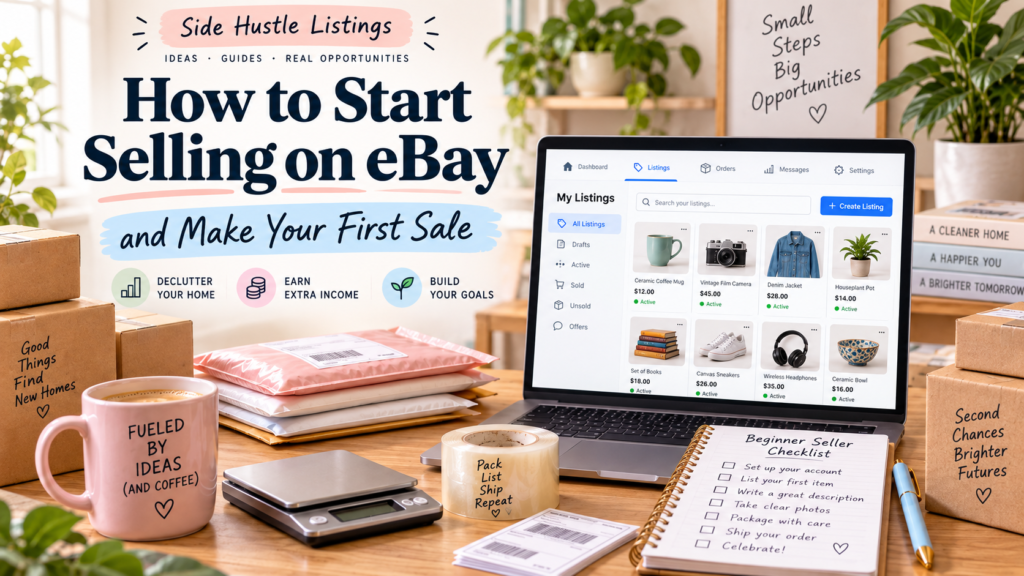
Selling on eBay is one of the simplest ways to turn items you no longer need into extra income. Whether you are clearing out a closet, reselling thrift-store finds, or building a small online business, eBay gives you access to millions of potential buyers.
The process is straightforward, but a few important decisions can determine how quickly you make your first sale. You need to choose the right products, create trustworthy listings, price items competitively, and provide reliable customer service.
This guide explains how to start selling on eBay and improve your chances of completing your first successful transaction.
1. Create and Prepare Your eBay Account
Before listing an item, create an eBay account or sign in to an existing one. You will need to provide basic information, including your name, address, email address, and payment details.
eBay may also ask you to verify your identity. This is a standard security step designed to protect buyers and sellers.
Set Up Your Payment Information
eBay manages payments for most sellers through its payment system. Add a bank account or other required payment method so that your earnings can be transferred to you after a sale.
Make sure that:
- Your legal name matches your payment information.
- Your mailing address is current.
- Your bank details are entered accurately.
- Your email address is one you check regularly.
You should also become familiar with eBay’s selling fees. Fees can vary depending on the item category, listing type, selling price, and optional promotions. Understanding these costs helps you avoid underpricing your products.
2. Choose the Right Item to Sell
Your first sale is often easiest when you begin with something you already own. This reduces risk because you do not need to spend money on inventory before learning how eBay works.
Good starter items include:
- Brand-name clothing and shoes
- Small electronics
- Video games and accessories
- Books and collectibles
- Kitchen appliances
- Tools
- Toys and hobby items
- Home décor
- Sports equipment
Look for items that are clean, functional, easy to ship, and in reasonable demand.
Check What Similar Items Sell For
One of the most useful eBay research tools is the completed or sold listings filter. Search for an item similar to yours, then review listings that have already sold.
Pay attention to:
- The final selling price
- The item’s condition
- The brand and model
- The listing title
- Shipping charges
- The number and quality of photos
- Whether the seller used an auction or fixed-price format
For example, suppose you have a used wireless keyboard. Search for the exact brand and model, then compare sold listings rather than relying only on current listings. Current listings show what sellers are asking, but sold listings show what buyers have actually paid.
Research may reveal that a keyboard sells for $25 to $35, while a similar-looking generic model sells for only $10. This information helps you set a realistic price.
3. Inspect, Clean, and Test the Product
A product’s condition directly affects its value and your reputation as a seller. Before photographing or listing an item, inspect it carefully.
For clothing, check:
- Stains
- Tears
- Missing buttons
- Fading
- Odors
- Loose seams
- Size and care labels
For electronics, check:
- Whether the item turns on
- Buttons, ports, and controls
- Battery performance
- Included cables or accessories
- Scratches or cracks
- Compatibility with other devices
For collectibles, look for:
- Original packaging
- Manufacturer marks
- Missing pieces
- Repairs
- Damage from moisture or sunlight
Clean the item appropriately, but do not attempt repairs unless you understand what you are doing. A simple cleaning can improve presentation, while an inaccurate claim about a repair or restoration can create problems later.
Be honest about defects. A small scratch may not prevent a sale, but failing to mention it can lead to returns or negative feedback.
4. Take High-Quality Photos
Photos are one of the most important parts of an eBay listing. Buyers cannot physically inspect the item, so your images need to provide a clear and accurate impression.
Use natural light when possible and place the item against a simple background. Avoid clutter, heavy filters, and blurry images.
Include photos of:
- The full item from the front.
- The back and sides.
- Labels, model numbers, or brand markings.
- Important accessories.
- Any damage or wear.
- The item next to a familiar object when size is difficult to judge.
For example, if you are selling a vintage ceramic bowl, photograph the maker’s mark on the bottom and show any chips or crazing. If you are selling a jacket, include a photo of the size label, fabric tag, zipper, and visible wear.
The first image should be the clearest and most attractive because it usually appears in search results. However, every image should accurately represent the product.
5. Write a Clear, Search-Friendly Listing
A strong listing helps buyers find your item and decide whether to purchase it. You do not need complicated marketing language. You need accurate information presented clearly.
Create an Effective Title
Use important search terms that describe the product. Include the brand, product type, model, size, color, and condition when relevant.
A weak title might be:
Nice item, works great
A stronger title might be:
Logitech K380 Bluetooth Keyboard Black Wireless Compact Tested
Avoid unnecessary symbols, exaggerated claims, and misleading keywords. Buyers should understand what the item is from the title alone.
Complete the Item Details
eBay may ask you to provide information such as:
- Brand
- Model
- Size
- Color
- Material
- Department
- Compatible brand or device
- Condition
- Country of manufacture
Complete as many relevant fields as possible. These details improve search visibility and make it easier for buyers to compare your item with others.
Write an Honest Description
Your description should explain what the buyer will receive and clearly mention the condition.
A simple description could look like this:
Used Logitech K380 Bluetooth keyboard in black. Tested and works properly. Shows light cosmetic wear from normal use, including a few small marks on the top surface. Includes the keyboard only; batteries are not included. Please review all photos for condition details.
This description is short, specific, and transparent. Avoid writing that an item is “like new” unless it truly has little or no visible use.
6. Choose Between Auction and Buy It Now
eBay generally offers two main selling formats: auction-style listings and fixed-price listings using Buy It Now.
Auction Listings
Auctions allow buyers to place bids over a set period. They can work well for:
- Rare collectibles
- Items with uncertain market value
- Products likely to attract competitive bidding
- Limited-edition merchandise
However, auctions can also end below your preferred price if interest is low.
Buy It Now Listings
A fixed-price listing allows buyers to purchase the item immediately. This format is often better for common products with clear market values.
For a first sale, Buy It Now can be easier to manage. Research sold listings, choose a competitive price, and consider allowing offers if you are willing to negotiate.
For example, if similar used headphones consistently sell for $40, you might list yours at $44.99 with offers enabled. This leaves room for negotiation while keeping the item near the market price.
7. Set a Competitive Price
Pricing requires a balance. If your price is too high, the item may receive views but no sales. If it is too low, you may sell quickly but lose potential profit.
Consider these factors:
- The item’s condition
- Brand reputation
- Current demand
- Shipping cost
- eBay fees
- Included accessories
- Seasonal demand
- Prices of comparable sold items
Use a simple profit calculation:
Selling price − fees − shipping cost − item cost = estimated profit
If you already own the item, your original purchase cost may not be relevant to the immediate sale decision, but you should still account for fees and shipping.
Avoid pricing solely based on how much you paid. Buyers care about current market value, not your original cost.
8. Select Shipping Options Carefully
Shipping can influence whether a buyer chooses your listing. Before publishing, weigh the item and measure its package if possible. Guessing can lead to unexpected costs.
Choose packaging that protects the item without being unnecessarily large. Common supplies include:
- Padded mailers
- Small and medium boxes
- Bubble wrap
- Packing paper
- Strong shipping tape
- Poly bags for clothing
For fragile products, wrap the item individually and fill empty space so it cannot move inside the box.
You can offer calculated shipping, where the cost depends on the buyer’s location, or include shipping in the item price. Free shipping may make a listing more attractive, but remember that the shipping cost still comes out of your revenue.
Ship promptly after payment. Upload tracking information when available and keep your receipt until the transaction is complete.
9. Publish and Monitor Your Listing
After reviewing your photos, title, description, price, and shipping settings, publish the listing. Check it immediately from a buyer’s perspective.
Ask yourself:
- Is the main image clear?
- Does the title explain the product?
- Are the item specifics complete?
- Is the condition accurate?
- Is the price competitive?
- Is the shipping cost reasonable?
- Would I feel comfortable buying from this seller?
Monitor the listing after it goes live. eBay may show you views, watchers, and offers. A listing with many views but no sales may need a lower price or better description. A listing with very few views may need a stronger title, improved photos, or more complete item details.
Do not change everything at once. Make one adjustment, then observe the results.
10. Handle Your First Sale Professionally
When your item sells, eBay will notify you. Carefully review the order details, confirm the shipping address, and package the item securely.
Send the item within the handling time you promised. Add tracking information as soon as possible and communicate politely if a delay occurs.
After delivery, the buyer may leave feedback. Providing accurate descriptions, careful packaging, and prompt shipping gives you the best chance of receiving positive feedback.
A successful first transaction can help build your seller reputation. As your feedback grows, buyers may feel more comfortable purchasing higher-priced items from you.
Common Mistakes New Sellers Should Avoid
New sellers often encounter problems that are easy to prevent. Avoid these common mistakes:
- Listing an item without researching sold prices
- Using dark or blurry photos
- Hiding damage in the description
- Guessing the shipping weight
- Overusing vague words such as “rare” or “vintage”
- Ignoring eBay fees
- Waiting too long to ship
- Using weak titles with few product details
- Selling restricted or counterfeit products
- Buying large quantities of inventory before gaining experience
Start small. Your first goal is not to build a massive store immediately. It is to learn the process and complete a smooth transaction.
Starting on eBay does not require a large investment or extensive technical knowledge. Choose an item you already own, research its market value, photograph it clearly, describe it honestly, and price it competitively. Then package and ship the product promptly when it sells.
Your first sale may feel like a small achievement, but it teaches you the core skills needed to become a successful eBay seller. With each listing, you will become better at identifying profitable products, writing effective descriptions, managing shipping, and serving buyers with confidence.